How to use Browsing assist in Samsung Internet to summarize and translate web pages

Browsing assist is a Galaxy AI feature available only in the Samsung Internet app. It helps you save time by summarizing long web pages into key points or translating web pages into your preferred language, without leaving the browser.
Note:
- Supported languages (and country): Arabic, Bahasa Indonesia, Chinese Simplified, Chinese Traditional (Hong Kong, Taiwan), Dutch, English (Australia, India, United Kingdom, United States), French (Canada, France), German, Hindi, Italian, Japanese, Korean, Polish, Portuguese (Brazil, Portugal), Romanian, Russian (Russian Federation), Spanish (Mexico, Spain, United States), Swedish, Thai, Turkish, Vietnamese.
- Accessing the Browsing assist AI features will require you to be connected to a network and signed into your Samsung account.
- Summary and translation results may vary each time.
The Summarise feature is a Browsing assist AI feature in the Samsung Internet app. It condenses the content of a webpage down to the main points only.
How to set up the Summarise feature


Step 1. Open the Samsung Internet app > Tools icon (three horizontal lines) > Settings.


Step 2. Select Browsing assist > Summarise > On switch.
How to use the Summarise feature
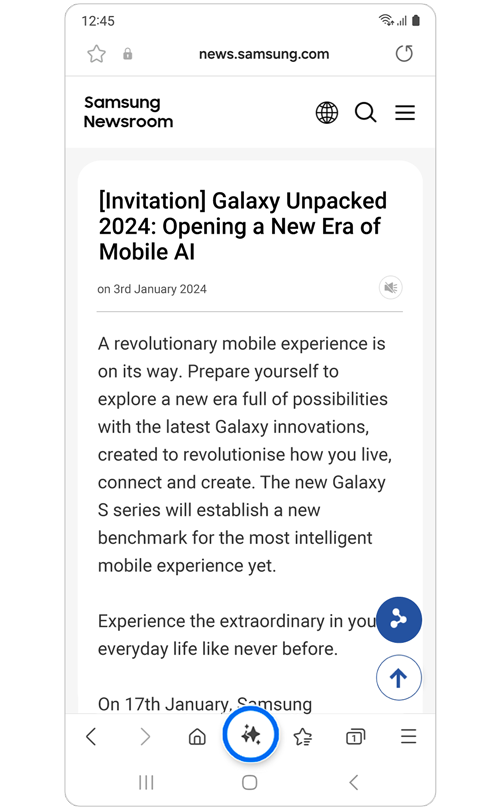
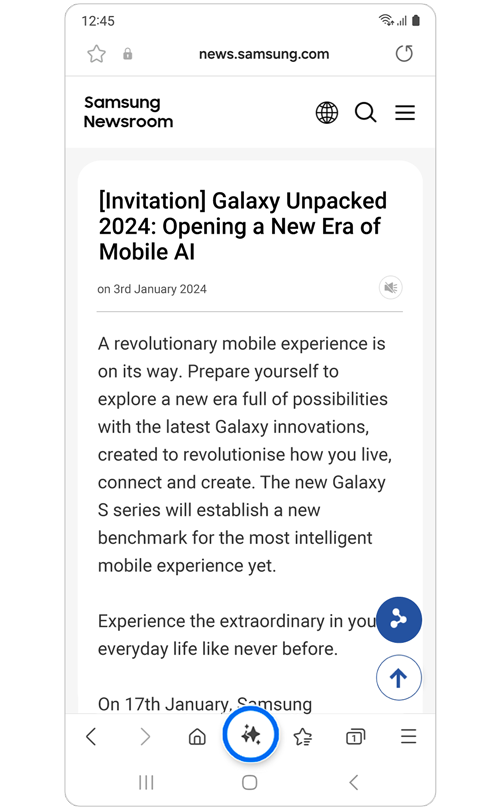
Step 1. Open the Samsung Internet app > Go to any webpage > Click on the Browsing assist icon.
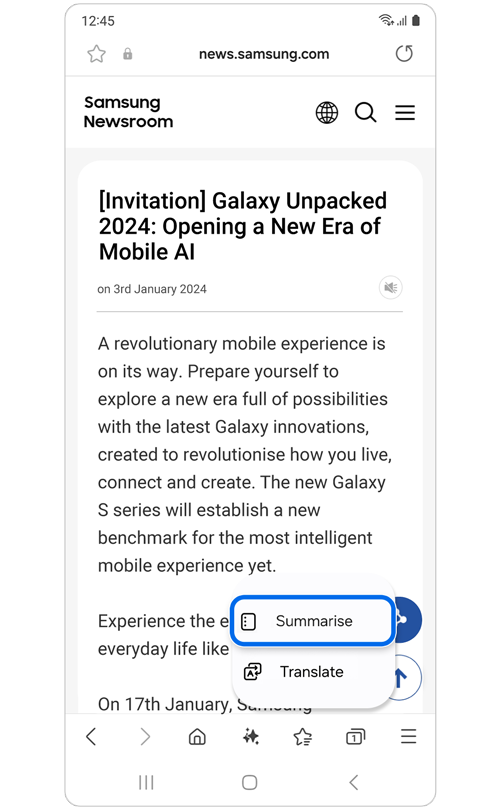
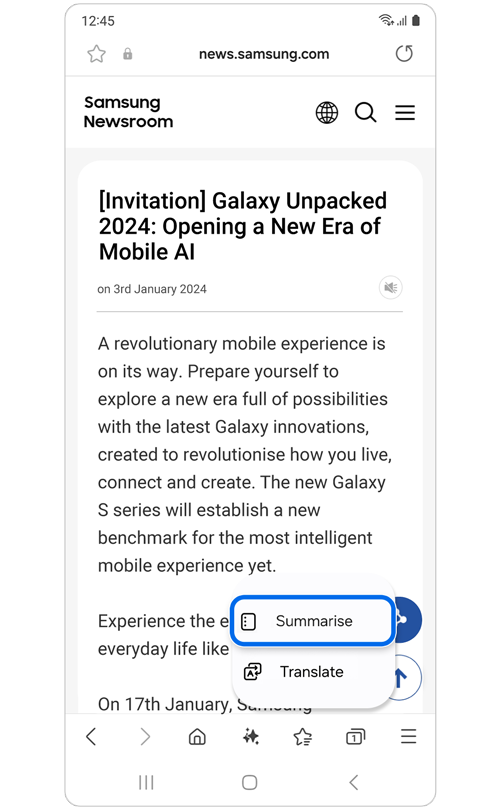
Step 2. Select Summarise.
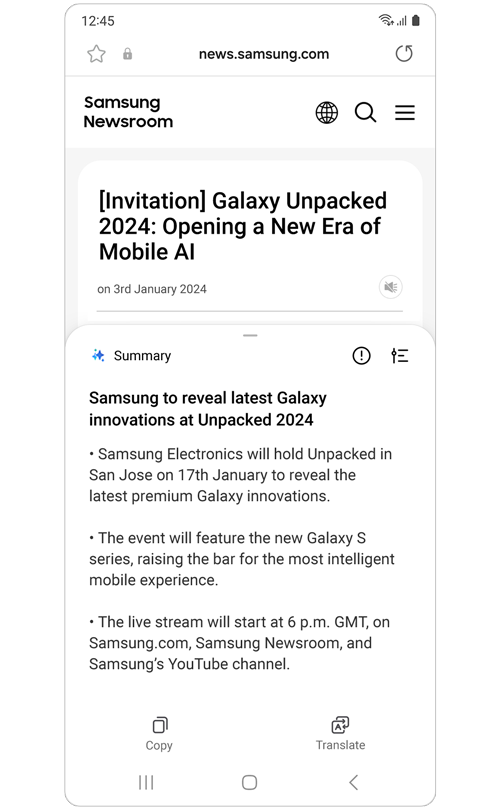
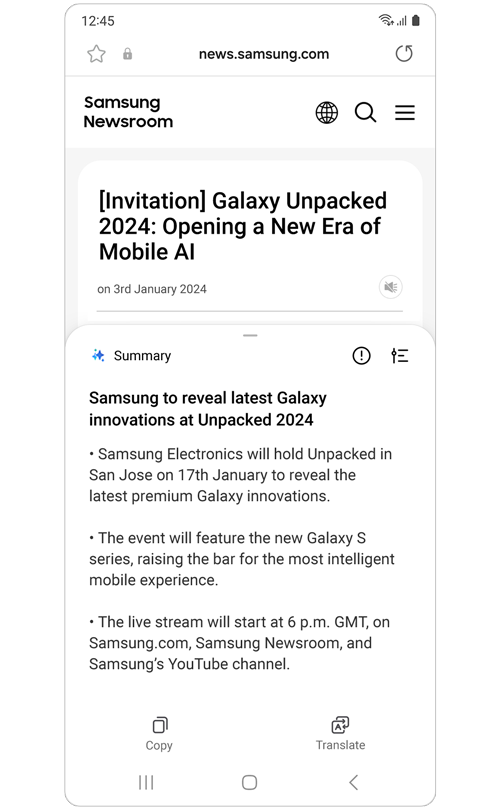
Step 3. The text will be summarised in bullet points.
*You can also translate the summarised webpage.
Note: The Summarise feature is not supported on all websites.
The Browsing assist Translation feature utilises On-device mode to translate the content of websites and social media platforms.
Note: Translation and On-device mode require language packs to function. Please be aware that some languages are not available yet.
How to use the Translation feature
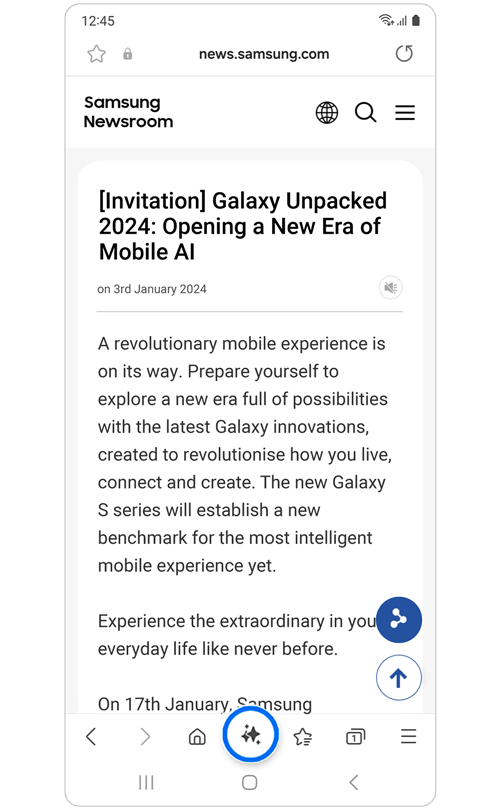
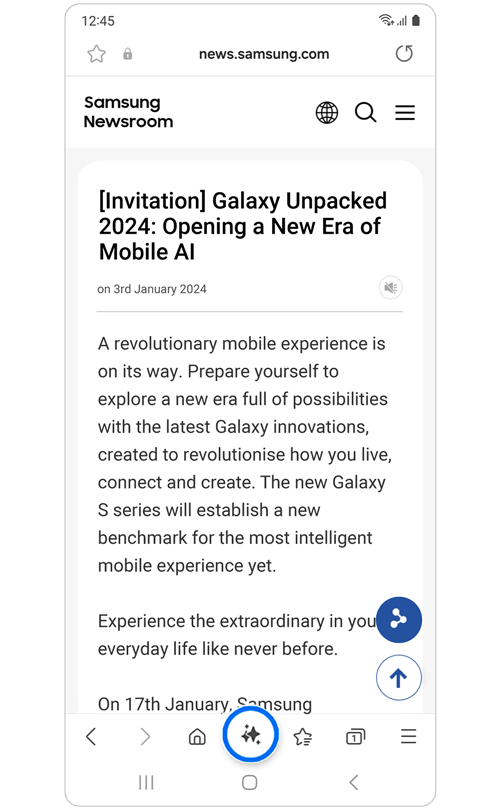
Step 1. Open the Samsung Internet app > Go to any website > Click on the Browsing assist icon.
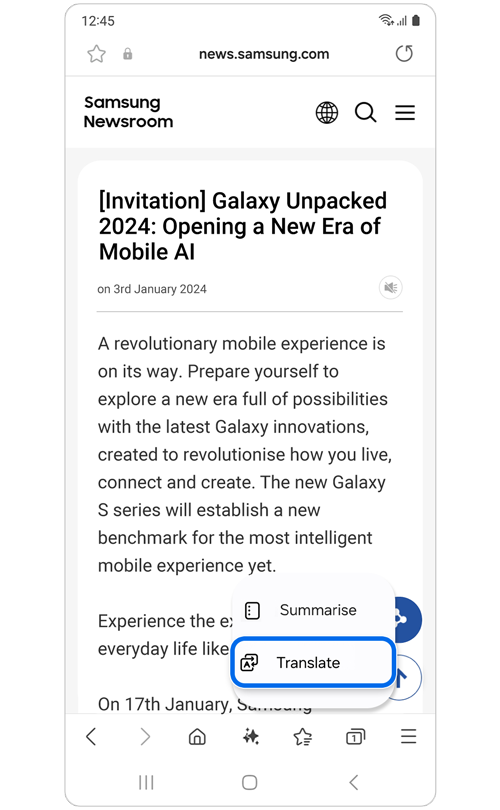
Step 2. Select Translate.
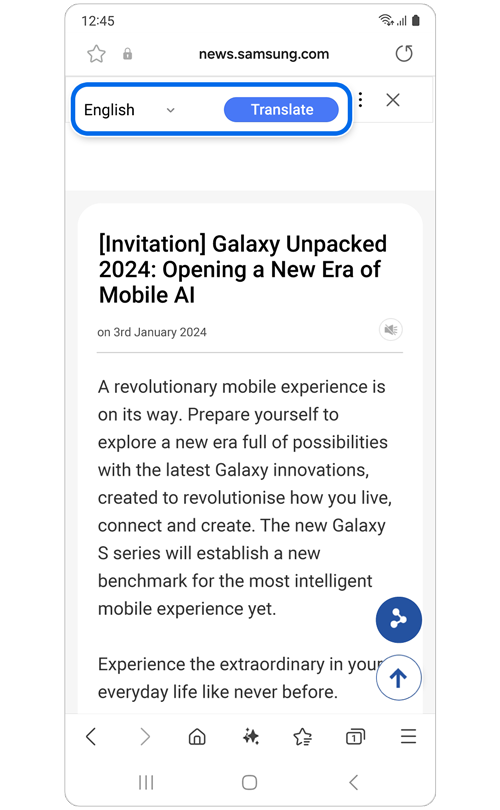
Step 3. Select preferred language > Translate.

Thank you for your feedback!
Please answer all questions.
RC01_Static Content : Hide call number function